
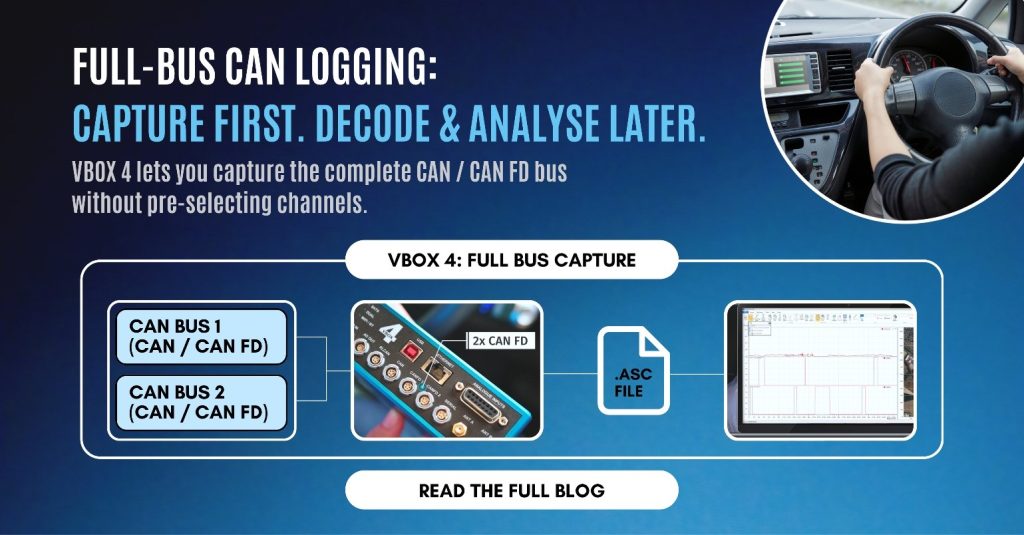
Full CAN Bus Logging with VBOX 4
The Complete Guide to Capturing Every Signal on Your Vehicle’s Network If you’ve ever finished a test run only to realise the one CAN signal you needed wasn’t in your channel list, you already know why “log everything, decide later” has become the standard for serious vehicle testing. That’s exactly the problem VBOX 4 was built to solve. This guide covers everything engineers, test technicians, and OEM data teams need to know about full CAN and CAN FD logging with VBOX 4 — how it works under the hood, what makes it different from selective CAN logging, and how to get it running on your next test. VBOX 4 captures a vehicle’s entire CAN bus — including CAN FD — automatically and continuously, with no need to pre-select individual channels before a test. It does this through four isolated, hardware-independent CAN ports (RL CAN, CAN, CAN FD 1, CAN FD 2), letting it record two full vehicle CAN buses simultaneously into a single, GNSS-time-synchronised .asc file. Channel selection happens after the test, in VBOX Test Suite, so nothing is ever lost to a misconfigured logger or an unplanned signal need. Why “Log Now, Select Later” Matters Traditional CAN loggers force you to decide, before you drive, exactly which signals matter. That works fine when you know precisely what you’re testing for. It falls apart the moment: Full-bus logging removes that risk entirely. VBOX 4 records every frame on the bus, unfiltered, and lets you decide afterwards what matters. Nothing is discarded at capture time, so a single test run can answer questions nobody had thought to ask yet. What “Full CAN Logging” Actually Means on VBOX 4 Full CAN logging is the automatic, unfiltered capture of every message travelling on a vehicle’s CAN or CAN FD bus, without requiring the operator to define a channel list, DBC mapping, or trigger condition beforehand. On VBOX 4, this is a hardware-level capability, not a configuration workaround — the raw bus traffic is written to disk exactly as it appears on the wire. That distinction matters. Some loggers claim full-bus capture but actually apply filtering or downsampling under load. VBOX 4 logs raw, timestamped CAN and CAN FD frames straight to an industry-standard .asc file, which any downstream CAN analysis tool — not just Racelogic’s own software — can open. Inside VBOX 4’s CAN Architecture: Four Ports, Two Full Buses This is where VBOX 4 goes further than most competitors, and it’s worth understanding the layout in detail because it directly affects how you wire and configure a test: Port Purpose RL CAN Dedicated to Racelogic modules and displays (e.g. TC8 thermocouple modules, FIM03, MFD Touch display). Supports up to 32 Racelogic module channels, auto-recognised the moment they’re connected. CAN General-purpose port for input and/or output of standard CAN 2.0 frames — can transmit up to 8 user-configured CAN messages and 16 signals out to a third-party system via CAN Pass Through. CAN FD 1 Input-only port for full raw-bus logging of either CAN FD or CAN 2.0 traffic to .asc. CAN FD 2 A second, fully independent input-only port for full raw-bus logging — meaning VBOX 4 can capture two separate vehicle CAN buses at the same time. Because all four ports are electrically isolated from each other, you can connect to sensitive OEM prototype networks without introducing noise, ground loops, or the risk of disturbing the vehicle’s own bus behaviour — a common concern on pre-production ECUs. The two CAN FD ports being genuinely independent is what allows VBOX 4 to do something many single-channel loggers can’t: synchronise two entirely separate CAN buses (say, powertrain and chassis) into one merged, time-aligned .asc file. No manual timestamp alignment, no separate log files to reconcile after the test. A Quick Refresher: What Is CAN FD, and Why Does It Matter Here? CAN FD (Flexible Data-Rate) is the modern evolution of the classic CAN bus protocol, developed to handle the data volume of today’s vehicles. Compared to classic CAN’s 8-byte payload per frame, CAN FD frames carry up to 64 bytes and transmit at significantly higher speed — which is why it’s become the standard on ADAS-equipped and electrified platforms with dozens of high-bandwidth ECUs. A logger that only supports classic CAN simply can’t see everything a modern vehicle is saying. VBOX 4’s CAN FD ports are built specifically to keep pace with this. Every Signal, Perfectly Timestamped Against GNSS Raw CAN capture is only half the story — the other half is timing accuracy. VBOX 4 synchronises every logged CAN and CAN FD frame against its GNSS position and speed data, so a suspension sensor reading, a brake pressure signal, or an ADAS target output can be correlated to the exact moment and location it occurred, down to the sample. This is what turns a bus log into genuinely usable engineering data rather than just a stream of hex frames with rough timestamps. Because the bus is captured with no filtering, VBOX 4 also handles fast-changing signals cleanly — things like suspension damper rates or high-frequency wheel dynamics, which are exactly the kind of signals that get missed or aliased on loggers that pre-filter or downsample the bus. From Raw Bus to Answers: VBOX Test Suite Capturing everything is only useful if you can make sense of it afterwards. This is where VBOX Test Suite, Racelogic’s analysis software, comes in: Post-test channel selection pick any combination of logged CAN signals after the fact, without having planned for them in advance Unlimited re-analysis the same raw log can be revisited any number of times for different questions, different projects, or different engineers Pre-configured test plugins standard test types (braking, ADAS scenarios, lane manoeuvres, etc.) come with built-in pass/fail logic, so results are available almost immediately rather than requiring a custom analysis script Open file format because the data is stored as standard .asc, it’s also compatible with third-party CAN analysis tools if your workflow needs them In practice, this means the test